Florist delivery management software optimizes routes automatically, tracks drivers in real-time with GPS, captures photo and signature proof of delivery, and sends customers automatic notifications — all from one platform. For USA flower shops, Hana Florist POS offers the most complete built-in delivery management system, including GPS route optimization, a driver mobile app, photo proof of delivery, and real-time customer tracking. Other strong options include FloristWare (route optimization + mobile app), GotFlowers (driver ID verification), Track-POD (standalone delivery platform), and Shipday (real-time tracking). Proper delivery management software cuts fuel costs, reduces delivery disputes by up to 85%, and increases daily delivery capacity by 20–25%.
Why Flower Shop Delivery Management Is Harder Than Almost Any Other Business
Here’s a question for you. What do birthday flowers, sympathy arrangements, wedding centerpieces, and Valentine’s bouquets all have in common? They’re all time-sensitive. They’re all fragile. And they all have to arrive at the exact right place at exactly the right moment — or the entire point of the delivery is lost.
A birthday bouquet that arrives the day after someone’s birthday isn’t just late. It’s a signal that nobody cared enough to get it right. A wedding centerpiece that shows up after the ceremony started is a catastrophe. A sympathy arrangement that goes to the wrong address during a family’s most painful week is a wound that won’t heal.
This is why florist delivery management is genuinely harder than delivery management in almost any other retail business in the USA. You’re not delivering packages that can sit on a porch for three days. You’re delivering perishable, emotionally loaded, time-critical gifts to people who are celebrating, grieving, proposing, or marking irreplaceable moments in their lives.
According to Shipday’s analysis of flower shop delivery operations, most independent florists still plan their delivery routes by hand — a process that works when you have five or six stops but becomes a chaos generator when you’re handling 30, 50, or 80 deliveries on a busy holiday. When you’re running deliveries manually, you don’t know where your driver is until they call you. Your customers have no idea when to expect their flowers. And every missed delivery or dispute gets handled the hard way — with a phone call and an apology.
Smart florist delivery management software changes all of that. It makes your delivery operation as organized and trackable as a major shipping company’s — without requiring a logistics department to run it.
The Real Costs of Poor Delivery Management for Florists
Before diving into solutions, let’s be honest about what poor delivery management actually costs a flower shop. The answer is usually much more than shop owners realize, because the costs show up in places that don’t always look like delivery problems.
Driver Time and Fuel Waste
When drivers plan their own routes using intuition and Google Maps, they almost never take the most efficient path. A driver who makes 20 stops might add 40–60 minutes to their daily route simply by sequencing stops in the order the orders were taken rather than the order that minimizes total distance traveled.
Fuel costs $3.50–$4.50 per gallon across most of the USA in 2026. A driver adding 30 unnecessary miles to their daily route spends $4–$6 in extra fuel every day — roughly $1,000–$1,500 per year per vehicle. Route optimization software from platforms like Upper Route Planner demonstrates this clearly: their data shows delivery cost reductions of up to 30% through intelligent routing alone.
Missed and Failed Deliveries
Wrong addresses. Nobody home. Damaged arrangements from a rushed, unoptimized route. Deliveries scheduled for a time window that the driver missed because the route was inefficient. Every failed delivery means a re-delivery cost, a replacement product cost, and a damaged customer relationship.
The florist industry estimates that a single delivery dispute costs 30–45 minutes of staff time to resolve, plus potential product replacement. With an average arrangement value of $75, the true cost of each failed delivery is often higher than the original product value when you count staff time.
Customer Phone Calls
“Where are my flowers?” is the most common call that florists receive throughout delivery hours. GotFlowers describes this experience directly on their delivery management page: “Fielding constant inquiries about delivery statuses can be annoying and stressful. Even more so during busy holidays!”
Without automated customer notifications and real-time tracking, every customer whose flowers haven’t arrived yet represents a potential inbound call. On a day with 50 deliveries, you might field 20–30 status calls. Each one takes three to five minutes to handle. That’s up to two and a half hours of staff time spent answering questions that technology should answer automatically.
Delivery Disputes With No Evidence
Without photo proof of delivery, your shop’s word against a customer’s claim is all you have. When a customer insists their flowers never arrived, and your driver insists they left them at the door, you have no evidence. You either replace the product at your cost to preserve the relationship, or you deny the claim and risk losing the customer permanently.
Shops using photo proof of delivery with GPS timestamp and time-stamp eliminate this problem almost entirely. Hana Florist POS users report an 85% reduction in delivery disputes after implementing photo proof of delivery — a figure that represents both real cost savings and real customer relationship improvements.
7 Essential Features of Florist Delivery Management Software
Not all delivery management tools are the same. Here are the seven features that actually matter for a flower shop delivery operation in the USA.
Feature 1: GPS Route Optimization
Real GPS route optimization does more than give your driver turn-by-turn directions. It calculates the most efficient sequence for all of the day’s delivery stops simultaneously, accounting for distance, traffic conditions, delivery time windows, and driver availability.
The difference between a manually sequenced route and an algorithmically optimized route is often 20–30% less total driving time and distance. Digital Florists describes the mechanic precisely: “Add deliveries to a route, then click optimize. The platform reorders stops to minimize drive time while respecting time windows.”
For a shop making 40 deliveries per day, route optimization can translate to one to two fewer hours of driving time daily. That’s time your driver uses to complete more deliveries — not more driving.
Feature 2: Driver Mobile App
A driver mobile app transforms the delivery experience for your drivers, your managers, and your customers. The right app puts everything a driver needs at their fingertips: turn-by-turn navigation, customer contact information, delivery instructions, order details, and the tools to record proof of delivery.
Drivers stop needing to call the shop for information. Managers stop needing to call drivers for status updates. The app becomes the communication hub that keeps every delivery moving forward without interruption.
GotFlowers’ Trega app demonstrates what a purpose-built florist driver app looks like: QR code scanning to load orders, automatic route building, GPS navigation, proof of delivery photos, digital signature capture, and even age verification for shops delivering wine or alcohol with flower orders. Everything lives in the driver’s phone.
Feature 3: Real-Time GPS Tracking for Managers
The manager dashboard is the control center of your delivery operation. You see every driver on a live map. You know exactly which stop each driver is at, how many stops they have remaining, and whether any delivery is running behind schedule.
This visibility gives you the ability to react to problems before they become disasters. If a driver gets a flat tire at stop 12, you see it immediately and can reroute another driver to cover the remaining stops. If stop 5 is taking longer than expected because of a difficult address, you can adjust the remaining route to compensate.
FloristWare’s delivery management system specifically highlights this real-time visibility: you can see your deliveries on a map, create optimized routes, and still customize and prioritize specific stops based on your local knowledge and special situations like timed deliveries.
Feature 4: Automated Customer Notifications
Your customers want to know three things: that their order was placed successfully, that it’s on the way, and that it arrived safely. Automated notifications answer all three without anyone at your shop picking up a phone.
When a delivery gets assigned to a route: notification. When the driver starts their route: notification. When the driver is 10 minutes away: notification. When the delivery is completed with a photo: notification. The customer’s entire experience becomes transparent and reassuring — exactly like tracking a package from Amazon.
Shipday’s data shows that small businesses implementing real-time tracking and automatic notifications see at least a 20% boost in customer satisfaction ratings. That improvement directly affects reviews, referrals, and repeat purchase rates.
Feature 5: Photo and Signature Proof of Delivery
Every delivered arrangement should generate a photo record. The driver takes a photo of the arrangement at the delivery location — typically at the front door, with the door or address number visible. That photo is time-stamped, GPS-tagged, and stored in the order record.
Some deliveries also require a signature, particularly for high-value arrangements, hospital deliveries, or orders requiring recipient confirmation. The driver app captures the signature digitally and attaches it to the order record.
This proof of delivery serves two purposes. First, it protects your shop when customers dispute deliveries — you have verifiable evidence that the flowers arrived. Second, it delights customers. When a sender in Chicago can see a photo of the flowers they ordered for their parent in Florida, sitting beautifully on the doorstep, that’s a moment of pure satisfaction that strengthens their relationship with your shop.
The eFlorist by Teleflora platform emphasizes this: collecting signatures and taking photos for completed deliveries creates records available for viewing both online and through the shop’s POS system.
Feature 6: POS Integration
Standalone delivery apps that don’t connect with your florist POS create double-entry work. Someone exports orders from the POS, imports them into the delivery system, and then manually reconciles completed deliveries back into the POS at the end of the day. This process adds 30–60 minutes of administrative time daily and introduces data entry errors.
The best florist delivery management is built directly into your POS system. New orders flow automatically into the delivery queue the moment they’re entered. Driver updates sync back automatically. Inventory adjustments happen without manual intervention. The entire loop closes without anyone touching a keyboard to transfer data between systems.
GotFlowers describes this integration precisely: “Unlike 3rd party solutions, the Delivery Manager is directly connected with gotFlowers. That means no having to import a list of addresses and data — all of your orders flow directly into the Delivery Manager! New orders or any changes to existing deliveries appear immediately.”
Feature 7: Holiday Delivery Planning Tools
Valentine’s Day. Mother’s Day. Christmas Eve. These three days alone can represent 30%–50% of some florists’ annual delivery volume. Managing them with the same tools you use for a typical Tuesday is a recipe for disaster.
Good florist delivery management software includes holiday-specific planning tools: the ability to build routes days or weeks in advance, special delivery zone configurations for holiday volumes, temporary driver onboarding for seasonal help, and third-party logistics dispatch options for overflow deliveries that exceed your own driver capacity.
GotFlowers highlights this capability directly: “With the gotFlowers delivery manager, you can start planning routes days or even weeks ahead. Perfect for those major holidays, when things are super busy.” Special holiday zones let you configure different delivery rules, cut-off times, and fee structures during peak periods.
GPS Route Optimization: How It Works and What It Saves
GPS route optimization sounds technical, but the concept is simple enough for anyone to understand. Imagine you have 30 flower deliveries to make today. Your driver could visit them in 30 different possible orders. Some of those orders are efficient — the route flows logically from neighborhood to neighborhood. Others are wildly inefficient — the driver zigzags back and forth across town, doubling their mileage and tripling their drive time.
A human dispatcher planning routes by hand picks a reasonable sequence but rarely finds the optimal one. There are simply too many possible combinations to evaluate manually. The math behind route optimization (computer scientists call it the “traveling salesman problem”) is one of the most studied problems in computer science — because finding the truly optimal solution for 30 stops is genuinely complex.
Route optimization software uses algorithms to find near-optimal solutions in seconds. It considers distance, current traffic conditions, delivery time windows (a hospital delivery must arrive before 3 PM; a funeral arrangement must arrive by 10 AM), driver start location, and vehicle load capacity. Then it outputs a sequenced list of stops that minimizes total drive time and distance across all constraints simultaneously.
What Does Route Optimization Actually Save?
The data from multiple sources paints a consistent picture.
Upper Route Planner reports delivery cost reductions of up to 30% through intelligent routing. FloristWare users consistently report significant improvements in driver efficiency after adopting route optimization. Shipday’s research shows that shops moving from manual route planning to optimized software deliver up to 30% faster.
For a concrete example: A flower shop running two delivery drivers makes approximately 60 daily deliveries. Each driver currently averages 5.5 hours of driving time per day. After implementing route optimization, each driver reduces to 4.2 hours. That’s 2.6 hours of recovered time daily — time that can fill additional deliveries, reduce driver overtime costs, or simply let your drivers get home on time after a long holiday shift.
On fuel costs of $4.00 per gallon with drivers averaging 22 miles per gallon, saving 30 miles of daily driving per vehicle saves roughly $5.45 per vehicle per day — or about $2,000 per vehicle per year. For a shop with two delivery vehicles, that’s a $4,000 annual fuel savings that pays for most delivery management software subscriptions entirely.
Distance-Based vs. ZIP Code-Based Delivery Pricing
Here’s a related concept that route optimization enables and that most florists never implement: distance-based delivery fee calculation instead of ZIP code-based pricing.
ZIP codes vary enormously in geographic size. A ZIP code that covers two square miles has very different delivery economics than one that covers twenty square miles. When you charge a flat fee per ZIP code, you systematically underprice deliveries on the far edge of a large ZIP and overprice deliveries in the center of a small one.
Distance-based delivery fee calculation uses the actual driving distance to each delivery address to calculate the fee. This approach ensures your delivery pricing accurately covers your delivery costs on every single order — not just on average. Hana Florist POS specifically offers distance-based delivery fee calculation as a feature, one that multiple florists report as a meaningful profitability improvement after switching from ZIP-code pricing.
Real-Time Driver Tracking: What Customers Expect in 2026
Your customers in 2026 track everything. They track their Amazon packages. They track their Uber drivers. They watch their DoorDash order move through traffic on a map. When they order flowers from your shop, they expect the same level of visibility — even though you’re a local independent florist operating in one city.
Meeting that expectation isn’t as hard as it sounds. Modern florist delivery management software provides customer-facing tracking links that work on any phone without an app download. When a delivery gets assigned to a driver, the system sends the customer a text message or email with a link. The customer opens the link and sees a map showing exactly where their flowers are. As the driver moves, the dot on the map moves.
Shipday’s data demonstrates the business impact clearly: adding real-time tracking to delivery operations produces at least a 20% boost in customer satisfaction ratings for most small businesses. The mechanism is simple — transparent delivery experiences reduce anxiety, reduce “where are my flowers?” calls, and create a professional impression that competes with large national delivery services.
Digital Florists describes the customer tracking experience with precision: customers receive SMS and email updates at key stages — order confirmed, out for delivery, and delivered. Each update includes a link to see the delivery’s real-time location on a map. At delivery, they receive a final notification with a photo of the arrangement.
What Real-Time Tracking Eliminates
Real-time customer tracking directly eliminates the most common operational friction in flower shop delivery: the status inquiry call.
Without tracking, approximately 30–40% of customers whose deliveries haven’t arrived call the shop to ask for a status update. For a shop making 50 daily deliveries, that can mean 15–20 status calls every day. Each call takes three to five minutes.
With real-time tracking, most customers check their tracking link instead of calling. Status inquiry calls drop by 80% or more. Your front desk staff recovers hours of time every single day — time they spend helping customers, designing arrangements, or managing the shop rather than answering the same question repeatedly.
Proof of Delivery: Your Insurance Policy Against Disputes
Delivery disputes are a fact of life in the flower shop business. Someone claims their flowers were never delivered. Someone insists the arrangement was left outside in the rain and was ruined. Someone says the delivery came to the wrong address.
Without documentation, every dispute is a judgment call. You either believe the customer or you believe your driver. You either absorb the cost of a replacement or you risk losing the customer. Neither option is good.
Photo proof of delivery changes the equation entirely. Here’s how it works in practice:
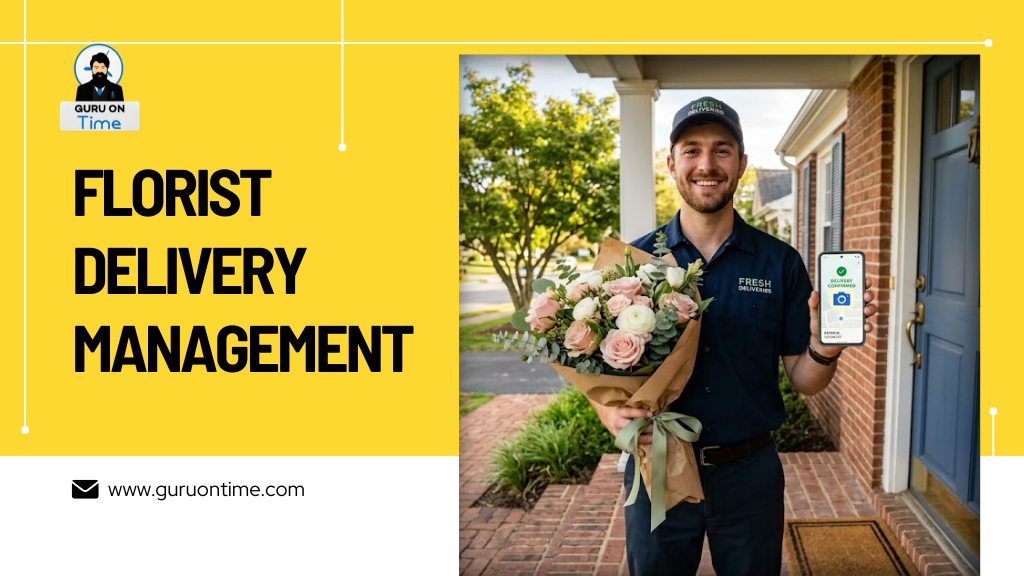
Your driver completes a delivery. They open their driver app and photograph the arrangement at the doorstep — capturing the address number, the door, and the flowers clearly in frame. The app attaches a GPS coordinate, a timestamp, and the driver’s identifier to the photo and uploads it instantly to the order record. Any manager can access that photo from the POS dashboard within seconds of the delivery being completed.
When a customer calls to say their flowers didn’t arrive, you open the order, pull up the proof of delivery photo, and see a time-stamped, GPS-verified picture of the flowers sitting at the customer’s address. The dispute resolves in under a minute. No confrontation. No replacement cost. No relationship damage.
Hana Florist POS users report an 85% reduction in delivery disputes after implementing photo proof of delivery — a figure that translates to both real cost savings and real time recovery. GotFlowers describes this feature as giving customers “extra peace of mind by sharing a photo of their delivery” and notes that both recipients and senders love seeing the flowers arrive safely.
When Photo Proof Isn’t Enough: Signature Capture
For high-value arrangements, hospital deliveries requiring recipient confirmation, or orders with specific delivery requirements, electronic signature capture goes a step further than photos. The driver presents the recipient’s phone screen or their own device, the recipient signs digitally, and that signature attaches permanently to the order record.
This level of documentation is particularly valuable for sympathy and memorial orders, where families may later have questions about who received a delivery and when. It’s also essential for any shop delivering alcohol alongside flower arrangements — where age verification and signature capture create a legal compliance record.
GotFlowers specifically supports 21+ ID verification for alcohol deliveries: “In a blink of the eyes, you can have an ID card scanned and verified. All critical information for alcohol sales is recorded and securely saved.”
Managing Holiday Deliveries: Valentine’s Day, Mother’s Day, and Beyond
No topic in florist delivery management generates more anxiety than the major holidays. Valentine’s Day. Mother’s Day. Christmas. These are the days when your delivery volume might triple or quadruple in a single 8-hour window. These are also the days when a delivery failure damages a relationship in a way that’s hard to repair.
Here’s a practical playbook for managing holiday deliveries successfully.
4–6 Weeks Before: Build Your Holiday Delivery Plan
Start planning your delivery operation before you start filling orders. Map your delivery zones. Set holiday-specific cut-off times — many shops stop accepting new Valentine’s Day delivery orders by February 12th to ensure they can fulfill everything already booked. Configure holiday pricing zones if your shop adjusts delivery fees during peak periods.
Calculate your estimated delivery volume based on last year’s data. If you delivered 200 orders on Mother’s Day last year and you’ve grown 15%, plan for 230 orders this year. Figure out how many driver-hours you need and start recruiting temporary drivers early. GotFlowers highlights this: “In less than a minute, you can add a temporary driver to a route and have them ready to head out and deliver.” Temporary drivers shouldn’t require complex system training — the driver app should be intuitive enough for a new user to operate on day one.
1–2 Weeks Before: Pre-Build Your Routes
Most florist delivery software lets you build routes before the orders are actually ready for delivery. Pre-build your geographic zones. Establish your delivery area maps. Set time windows for different delivery types — funeral deliveries by 10 AM, hospital deliveries before 3 PM, residential deliveries between 9 AM and 6 PM.
When orders arrive in the final days before the holiday, they slot into pre-established zones and routes automatically rather than requiring manual triage under pressure.
The Day Of: Manage in Real Time
On the holiday itself, your manager dashboard becomes your command center. You see every driver on the map simultaneously. You know which stops are complete, which are in progress, and which are running behind schedule.
If a driver is running late due to traffic or a complex delivery, you see it immediately and can reroute other drivers to absorb some of their stops. If an emergency forces a driver to leave early, you reassign their remaining stops in seconds without chaos.
The Teleflora eFlorist system describes this dispatch capability: “Assigning delivery statuses is a great way to manage a busy delivery schedule. Select from a list of available statuses or create new ones to meet your shop’s needs.”
Third-Party Delivery for Overflow
Even the best-planned holiday can generate more delivery demand than your own drivers can handle. Modern florist delivery software integrates with third-party delivery services for overflow situations — allowing you to dispatch selected orders to contracted local drivers or delivery networks when your own capacity is maxed out.
This overflow capability means you never have to turn away holiday orders because you’ve run out of driver capacity. You take the orders, fulfill the arrangements, and dispatch the overflow delivery through a third-party service that handles the logistics for that specific order.
Best Florist Delivery Management Software for USA Shops in 2026
Here’s a straightforward comparison of the best delivery management options available to USA florists right now.
Hana Florist POS — Best Overall Delivery Management (Built-In)
Why it leads: Hana’s delivery management is the most complete built-in solution in any florist POS platform. It’s not a third-party add-on — it’s a native part of the same system that manages your orders, inventory, customer records, and e-commerce. That integration eliminates every data transfer problem that standalone delivery apps create.
GPS route optimization: Hana uses Google Maps-based route optimization to sequence delivery stops for maximum efficiency. The driver app sends optimized routes directly to the driver’s phone with one click from the manager’s dashboard.
Driver mobile app: Works on any iOS or Android smartphone. Drivers access their route, navigate to each stop, capture delivery photos, collect digital signatures, and mark completions — all from one app. The customer receives an automatic notification the moment a delivery is confirmed.
Real-time customer tracking: Customers receive a link that shows their delivery’s current location on a live map — the same experience they expect from Amazon or Uber. This feature alone generates some of the strongest positive feedback from florists who switch to Hana, because it dramatically reduces status inquiry calls.
Distance-based delivery fees: Hana calculates delivery fees based on actual driving distance rather than ZIP code — ensuring your delivery pricing covers your actual delivery costs on every order.
Photo proof of delivery: GPS-tagged, time-stamped photos attach to every delivery record automatically. Accessible from the manager dashboard instantly. This single feature produces the 85% dispute reduction that Hana users consistently report.
Holiday management: Temp driver onboarding takes under a minute. Holiday-specific delivery zones and rules are configurable in advance. Routes can be pre-built days before peak holidays.
Free trial: 30 days, no credit card required — https://www.hanafloristpos.com/pricing/
See how Hana compares to other florist POS systems at https://guruontime.com/florist-pos-system-comparison/
FloristWare — Best Route Optimization for Established Shops
FloristWare has invested heavily in its delivery management and route optimization features. Their system shows deliveries on a map, creates optimized routes, and still allows manual customization for situations where your local knowledge should override the algorithm — like knowing that a particular road is under construction, or that a specific customer always wants a 9 AM delivery regardless of where it falls in the route.
The mobile delivery app integrates real-time delivery confirmations by email and text, with photo, video, and signature capture. Completed deliveries flow back into the POS automatically.
For very high-volume shops (averaging more than 100 deliveries per day), FloristWare integrates with OnFleet, the industry-leading last-mile delivery platform. This integration gives enterprise-level delivery management capabilities to florists operating at high volume without requiring a full logistics software overhaul.
Best for: Established florists with moderate-to-high delivery volumes who want deep customization options and the ability to scale into enterprise delivery tools.
GotFlowers — Best for Driver Management and ID Verification
GotFlowers’ Trega driver app and delivery management platform offer features that no other florist-specific system matches. The 21+ ID verification for alcohol deliveries is genuinely unique — drivers can scan and verify a customer’s ID in seconds, with the verification record stored securely and available for monthly compliance reports.
The delivery manager integrates directly with the GotFlowers POS, meaning orders flow in automatically without any import process. Real-time customer notifications fire automatically at delivery completion. Pool delivery support handles situations where your shop participates in a shared delivery network.
Best for: Shops that deliver alcohol alongside flowers and need compliance documentation, or shops participating in delivery pools.
Track-POD — Best Standalone Delivery Platform
Track-POD earns recognition as the strongest standalone delivery management platform for florists who need more than their POS system’s native delivery tools but don’t want to switch their entire POS. It connects directly to web orders from florist platforms, provides map-based route planning with electronic proof of delivery, and integrates with existing florist software through API connections.
The Track-POD blog’s analysis of florist software recommends it specifically for high-volume shops and those running complex multi-driver operations that need more analytical depth than built-in POS delivery tools provide.
Best for: High-volume shops that want enterprise-grade delivery analytics while keeping their existing POS system.
Shipday — Best for Real-Time Customer Communication
Shipday specializes in customer-facing delivery experiences. Its branded tracking pages, automated SMS and email updates, and review collection workflow create a customer communication experience that competes with major national delivery services.
Shipday integrates with florist POS systems via API and connects to e-commerce platforms. Its free-tier pricing makes it accessible for small shops that want basic delivery tracking without a major software investment.
Best for: Shops where customer communication and review generation are the primary delivery management priorities.
Digital Florists — Best for Complete Delivery + Inventory Integration
Digital Florists offers a cloud-native delivery system where route optimization, GPS tracking, driver app, customer notifications, and inventory management all connect in a single platform. The system caches route data in the driver app so deliveries continue even in areas with poor mobile signal — a practical feature in suburban and rural delivery zones. Photos and statuses sync automatically when connection returns.
Their delivery window management is particularly sophisticated: you can set time windows by order type (hospitals before 3 PM, funerals by set times) and define delivery areas with automatic fee calculation visible on a boundary map.
Best for: Florists who want a modern, cloud-native platform and need tight delivery-inventory integration.
How to Set Up a Delivery Management System From Scratch
Whether you’re starting your delivery operation from zero or replacing a manual system, this step-by-step approach works for any USA flower shop.
Step 1: Map Your Current Delivery Operation
Before changing anything, document what you currently do. How many deliveries do you complete on a typical weekday? On your busiest Saturday? During Valentine’s Day week? How many drivers do you run? What is your current delivery radius?
This baseline gives you a frame of reference for measuring improvement after you implement new tools. It also helps you choose the right software for your volume level — a system built for 10 deliveries per day operates differently from one built for 100.
Step 2: Choose Integrated or Standalone Delivery Tools
The fundamental choice in florist delivery management is this: do you use delivery tools built into your florist POS, or do you connect a standalone delivery platform to your existing system?
Integrated delivery (Hana, FloristWare, GotFlowers) is simpler to operate because orders flow automatically and the whole system speaks the same language. There’s no data transfer, no double entry, and no reconciliation at the end of the day.
Standalone delivery platforms (Track-POD, Shipday) offer more specialized capabilities and can connect to any POS system. They require more setup but may provide features your POS system’s native delivery tools lack.
For most USA flower shops — especially those processing under 80 deliveries per day — integrated delivery management is the better choice. For high-volume operations above 100 daily deliveries, a specialized standalone platform may provide measurable efficiency gains that justify the added complexity.
See a full comparison of florist POS systems with delivery capabilities.
Step 3: Define Your Delivery Zones and Pricing
Set up your delivery geography before you start routing orders. Define your delivery areas on a map. Assign fees to each zone — or switch to distance-based pricing if your system supports it. Set cut-off times for each zone so customers ordering late can’t expect same-day delivery to your farthest service area.
Configure holiday-specific zones during your initial setup, even if a holiday is months away. Holiday configuration takes time to get right, and doing it under pressure the week before Valentine’s Day is not the right moment for system configuration.
Step 4: Onboard Your Drivers
Your drivers need to install and understand the driver app before it goes live. Schedule a 30-minute training session for each driver. Walk them through: loading their route, navigating to each stop, capturing proof of delivery photos, collecting signatures, and marking completions.
The app should feel natural and easy within the first day of real use. If a driver is still struggling after two delivery shifts, the app is too complex for your operation — consider a simpler tool.
Step 5: Configure Customer Notifications
Decide which notifications your customers receive and at which delivery stages. Most shops configure three: order confirmed (sent when the order is booked), out for delivery (sent when the driver starts their route), and delivered (sent with a photo when the driver completes the stop).
Test all three notifications with your own phone number before going live. Confirm the message reads naturally, the tracking link works, and the photo appears correctly in the delivery confirmation.
Step 6: Run a Pilot Before Peak Season
Never launch a new delivery management system during a major holiday. Run your pilot during a normal weekday with a real delivery load — but one where a failure won’t cost you customer relationships. Use the pilot to identify gaps in your training, problems with your zone configuration, and any technical issues before they occur at scale.
The guidance for inventory system implementation applies equally here: see our Florist Inventory Management guide for the same framework applied to stock tracking, and our Complete Guide to Florist POS Systems for the broader context of how delivery management fits into your complete shop management system.
What Real Florists Say About Delivery Management Software
Real user reviews from florists across the USA paint a consistent picture of what changes when delivery management software is implemented properly.
From Software Advice reviews of Hana Florist POS: “The delivery app allows me to confirm to my customers that the flowers have been delivered.” A florist who had been using Hana for five years described the address auto-fill feature as a significant time-saver: “The address of recipients automatically fills in when I fill in partial address numbers. This feature saves so much time.”
From Capterra reviews of FloristWare: Multiple users specifically praise the delivery management tools for reducing customer inquiry calls. One florist noted that real-time delivery confirmations sent from the mobile app “delight customers and reduce ‘are they there yet?’ calls.”
From the Shipday research on small business delivery: “Many small businesses see at least a 20% boost in customer satisfaction ratings after adding real-time tracking to their operation.” When customers know exactly when their flowers will arrive, it builds trust and encourages repeat business.3
From community discussions among florists about delivery operations: A recurring theme in Reddit’s r/florists community and professional florist forums is that shops that implement delivery management software during a slow period and give themselves a full month before a major holiday consistently have better holiday experiences than shops that try to implement under pressure.
Final Thoughts: Your Delivery Is Your Brand
Every time your driver pulls up to someone’s door with a flower arrangement, that moment is a representation of your shop’s brand. It’s your professionalism, your reliability, and your care — all embodied in one transaction.
When that delivery goes right, you build a customer relationship that may last decades. The person who receives flowers from your shop on their wedding anniversary might order from you every year for the next 30 years. The person who sends a sympathy arrangement through your shop might never forget the kindness and reliability you showed their family during a hard time.
When it goes wrong — wrong address, no proof, no notification, a driver lost with no way to reach the shop — that relationship doesn’t just pause. It ends.
Good florist delivery management software doesn’t make your flowers more beautiful or your designers more talented. But it does make sure that the beautiful work your team creates actually reaches the people it was meant for, in perfect condition, at exactly the right moment, with the documentation to prove it happened.
That’s not a nice-to-have. That’s the core of what your delivery operation is supposed to do.
For florists ready to upgrade their entire shop management system, start with our Complete Guide to Florist POS Systems. If you’re a smaller shop deciding where to invest first, our Best POS System for Small Flower Shops guide helps you identify the right starting point. And if you’re comparing systems side by side, our Florist POS System Comparison gives you the full feature-by-feature breakdown.
Florist delivery management software is a tool that helps flower shops plan efficient delivery routes, track drivers in real time with GPS, send automated notifications to customers, and capture photo and signature proof of delivery. It integrates with florist POS systems so orders flow automatically into the delivery queue without manual data entry.
Hana Florist POS offers the best built-in delivery management system for most USA flower shops — combining GPS route optimization, a driver mobile app, photo proof of delivery, real-time customer tracking, and distance-based delivery fee calculation in one integrated platform. FloristWare is the best option for shops needing deep customization and high-volume delivery tools. Track-POD and Shipday are the best standalone options for shops that want specialized delivery analytics without changing their existing POS.
GPS route optimization sequences your delivery stops in the most fuel-efficient order, accounting for distance, traffic, and time windows. Upper Route Planner data shows delivery cost reductions of up to 30% through optimized routing. For a shop running two delivery vehicles, route optimization typically saves $3,000–$5,000 annually in combined fuel and driver time costs.
Proof of delivery is a time-stamped, GPS-verified photograph (and optional digital signature) captured by the driver at the delivery location. It creates verifiable evidence that an arrangement was delivered to the correct address at the correct time. Hana Florist POS users report 85% reductions in delivery disputes after implementing photo proof of delivery, saving significant time and replacement product costs.
Start planning 4–6 weeks ahead. Pre-build your delivery zones and configure holiday-specific rules. Recruit temporary drivers early. On the day itself, use your manager dashboard to monitor every driver in real time and reassign stops if problems arise. Use automated customer notifications to eliminate status inquiry calls. Hana Florist POS and GotFlowers both support advance route building and temporary driver onboarding specifically designed for holiday peak management.
Yes, the best florist driver apps cache route data locally so drivers can continue making deliveries in areas with poor mobile signal. Photos and delivery status updates sync automatically when the connection returns. Digital Florists specifically highlights this offline capability: “The app caches route data so drivers can continue deliveries even in areas with poor signal.” This is particularly important for rural delivery areas.
ZIP code-based pricing charges a flat fee per delivery zone regardless of the actual address within that zone. Distance-based pricing calculates the delivery fee based on actual driving distance to the specific delivery address. Distance-based pricing ensures your fee accurately covers your delivery cost on every single order — ZIP codes can vary dramatically in size, making flat-fee pricing systematically inaccurate.
Implement photo proof of delivery on every completed order. Send automated delivery confirmation notifications with a photo to both the sender and recipient immediately after delivery. Store every proof photo with GPS coordinates and timestamps in your order record for instant retrieval if a dispute arises. These three steps eliminate the vast majority of “we never received the flowers” disputes before they require staff intervention.
Built-in delivery management in florist POS platforms is typically included in the monthly subscription, with no additional per-feature charge. Hana Florist POS plans range from approximately $150–$250/month with delivery management included. Standalone platforms like Track-POD start around $29–$49 per driver per month. Route-optimization-only tools like Routific start at $39 per vehicle per month but require separate integration with your existing POS system. See our full Florist POS Cost and Pricing Guide for a complete breakdown.
If you use a POS with built-in delivery management (Hana, FloristWare, GotFlowers), the connection is automatic — orders flow directly from order entry to the delivery queue. If you use a standalone delivery platform, it connects via API integration or manual import. Built-in delivery management is simpler for most shops because it eliminates double entry entirely.