Let’s be real for a second. How many times have you written an order on a sticky note, only to lose it in the chaos of Valentine’s Day? Or spent way too long at the end of the day trying to figure out which roses you still have left?
If you’re nodding along, you’re not alone. Running a flower shop—whether you’re just starting out or have been at it for years—comes with a unique set of challenges. And honestly? The right point-of-sale (POS) system can make a world of difference.
But here’s the thing: finding the perfect POS system for your floral business can feel overwhelming. There are so many options, each with different features, price points, and promises. So we put together this guide to help you understand what a florist POS system actually is, what features matter most, and how to choose one that fits your specific needs.
Think of this as your friendly companion on the journey to finding a system that helps lighten your load, so you can spend more time doing what you love—creating beautiful arrangements and loving the world through flowers.
What Is a Florist POS System?
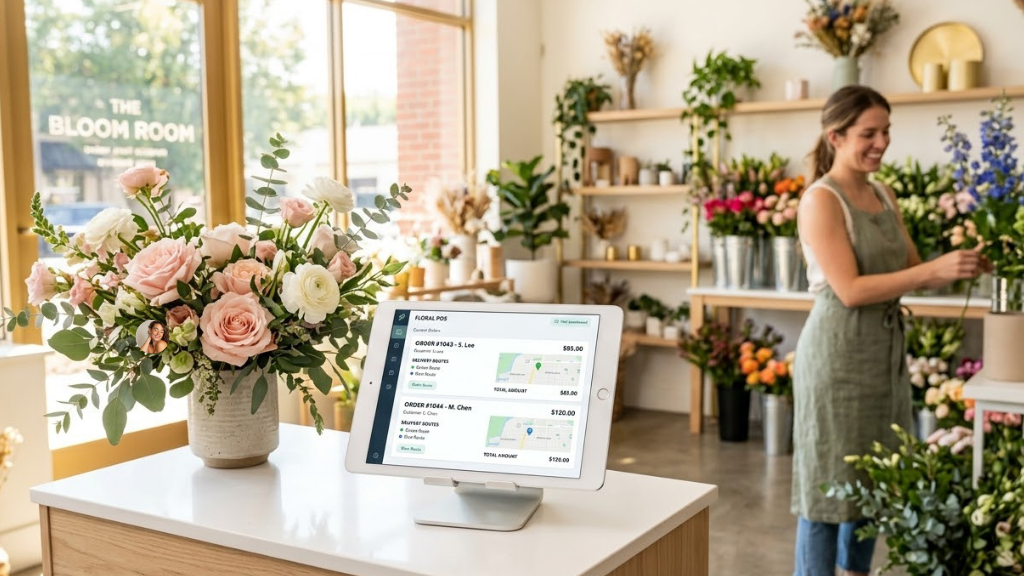
A florist POS (point-of-sale) system is specialized software that helps you manage sales, accept payments, and keep track of all the moving parts in your flower shop. But it’s so much more than just a fancy cash register.
Unlike a generic retail POS system you might see at a clothing boutique or coffee shop, florist POS software is designed specifically for the unique needs of the floral industry. And trust us, those needs are pretty specific!
Why Florist-Specific Software Matters?
Think about what makes your flower business different from, say, a hardware store or a bookshop:
- Your inventory is perishable. Roses don’t last forever, and you need to track freshness dates, not just quantity.
- Your orders are complex. Each sale includes sender information, recipient details, delivery addresses, card messages, and specific arrangement requests.
- Deliveries are time-sensitive. A birthday bouquet arriving the day after isn’t just late—it’s a lost customer.
- You need recipe management. When someone orders a $150 centerpiece, you need to know exactly how many stems to use to maintain both quality and profitability.
- Wire services matter. If you’re part of FTD, Teleflora, or BloomNet, those orders need to flow seamlessly into your system.
A generic POS system simply isn’t built to handle these challenges. That’s why florist-specific software exists—and why it’s worth considering if you’re serious about streamlining your operations.
From Cash Registers to Cloud-Based Systems
Remember the old-school cash registers with that satisfying ‘cha-ching’ sound? Those days are long gone. Modern florist POS systems are typically cloud-based, which means:
- You can access your system from anywhere—your shop, home, or even while sourcing flowers at the market
- Your data is automatically backed up and secure
- Updates happen automatically—no need to install new software versions
- You can work from tablets, smartphones, or computers
And here’s an interesting stat: about 94% of brick-and-mortar florists in the United States now process online orders. This shift to digital isn’t just a trend—it’s become essential for staying competitive.
Why Your Flower Shop Needs a Good POS System
Look, we get it. Adding another system to your business might feel like one more thing to learn and manage. But hear us out—a good florist POS system actually reduces the chaos, not adds to it.
The Real Costs of Not Having One
Let’s talk about what happens when you’re managing everything manually or with a system that’s not quite right:
Flower Waste:
Without proper inventory tracking, you’re probably ordering based on gut feeling. Maybe you over-order to be safe, maybe you under-order and run out. Either way, you’re likely seeing 15-20% of your flowers go to waste. With a good system tracking freshness and patterns, that waste can drop to 8-10%. For a shop spending $5,000 monthly on flowers, that’s $350-600 in savings each month.
Lost Time:
How many hours do you spend each week on manual tasks? Counting inventory by hand, manually entering online orders, writing delivery tickets, creating invoices, reconciling payments at day’s end. If you’re spending even 2 hours daily on tasks a POS could automate (and most shop owners spend more), that’s 10 hours weekly—or 520 hours annually. That’s time you could spend on design work, customer relationships, or simply living your life.
Delivery Issues:
Without delivery management tools, you’re probably fielding ‘where are my flowers?’ calls all day. Drivers get lost or take inefficient routes. You have no proof of delivery when someone claims they never received their order. Each delivery issue eats up 30-45 minutes of your time, costs you potential re-deliveries, and damages your reputation.
Customer Relationships
That customer who orders anniversary flowers every year? Without a CRM system tracking their preferences and purchase history, you might forget to reach out, or worse, forget that their mom is allergic to lilies. Those personal touches matter, and they’re nearly impossible to scale without good software.
Read about the top Florist POS Comparison Guide available in the USA market
Essential Features Every Florist POS System Should Have
Okay, so you’re convinced you need a POS system (or at least curious enough to keep reading). What features should you actually look for? Let’s break down the must-haves.
1. Real-Time Inventory Management
This is huge for florists. Your inventory is perishable, which means you need more than just a count of what you have—you need to know how fresh it is.
What to look for
- Stem-level or bunch-level tracking (not just ‘roses,’ but ’12 red roses per bunch’)
- Expiry date tracking so you know what needs to be used first
- Automatic updates across all sales channels (if someone buys roses in-store, your website should show updated availability)
- Low-stock alerts before you run out during a busy weekend
- Seasonal tracking (Valentine’s inventory needs look very different from August’s)
Good inventory management is the difference between throwing away $500 worth of wilted flowers each week and knowing exactly what you have, when you got it, and when you need to use it by.
3. Multi-Channel Order Management
Your orders come from everywhere: walk-in customers, phone calls, your website, maybe wire services like FTD or Teleflora. You need a system that handles all of these without you manually re-entering information.
What to look for:
- Single-screen order entry (you shouldn’t have to click through five different tabs to enter one order)
- Automatic order routing (delivery orders go to the delivery queue, pickups go elsewhere)
- One dashboard showing all orders, regardless of source
- Easy search by customer name, recipient name, or date
- Wire service integration if you use FTD, Teleflora, or BloomNet
Here's a real example: One shop owner we know was manually re-entering every online order from their website into their POS. It took 5-8 minutes per order. With 50 weekly online orders, that's over 4 hours of mindless data entry every week. Proper integration eliminated that entirely.
4. Delivery Management and Route Optimization
If you’re doing deliveries (and most florists are), this feature can be a game-changer. Good delivery management means efficient routes, fewer calls asking ‘where are my flowers?’, and proof that you actually delivered.
What to look for:
- GPS route optimization that groups deliveries by area
- Driver mobile app with turn-by-turn directions
- Photo capture at delivery (absolute lifesaver when someone claims they didn’t receive their order)
- Real-time tracking customers can access
- Delivery fee calculation (ideally based on distance, not just ZIP code—more on that in a sec)
- Signature capture for expensive orders
Quick note on delivery fees: Many systems charge based on ZIP code, but ZIP codes vary wildly in size. Some cover 2 square miles, others cover 20. Distance-based pricing ensures you're actually covering your delivery costs. We've heard from shop owners who switched to distance-based pricing and increased delivery profitability by thousands annually.
Also, route optimization can increase the number of deliveries each driver completes by 20-25%. That's either more revenue with the same number of drivers, or the ability to handle more orders without hiring additional staff.
4. Customer Relationship Management (CRM)
Your regular customers are the lifeblood of your business. A good CRM helps you remember their preferences, track their purchase history, and stay in touch.
What to look for:
- Customer profiles with complete purchase history
- Custom notes field (for things like ‘recipient is allergic to lilies’ or ‘prefers white and cream colors’)
- Separate recipient database (many customers send to multiple people)
- Email marketing integration
- Automatic reminders for anniversaries or birthdays
- Quick reorder feature for previous arrangements
Here's why this matters: One florist we know set up anniversary reminders for 300 customers. In the first year, 87 of them reordered—that's 87 sales they wouldn't have captured otherwise, at an average of $75 each. That's over $6,500 in revenue from one automated feature.
5. Recipe and Design Cost Management
This is where florist-specific software really shines. When someone orders a $150 arrangement, you need to know exactly how many stems to use to deliver quality while maintaining profitability.
What to look for:
- Stem count tracking per design
- Automatic cost calculation as designers select ingredients
- Photo reference library
- Markup vs. margin view (so you understand true profitability)
- Labor cost inclusion
- Shopping list generation for large events
Without recipe management, your designers are guessing. One might use 12 roses, another uses 15. Your profit margins swing wildly, and customers notice inconsistency. Recipe management solves both problems.
6. Secure Payment Processing
You need to accept payments securely and conveniently. And if you’re a florist, you probably also need some special payment capabilities.
What to look for:
- EMV chip card readers (required for fraud protection)
- Contactless payments (Apple Pay, Google Pay, tap-to-pay)
- Split tender payments—this is huge for florists!
- Gift card processing
- PCI compliance for data security
- Automatic tax calculation
About split tender payments: This is when multiple people want to split the cost of one order. Think funeral arrangements where three siblings each want to pay $100 toward a $300 spray. Most generic POS systems make you create three separate transactions. Florist-specific systems handle this naturally, which is critical for large sympathy orders and corporate gifts.
7. Reporting and Analytics
You can’t improve what you don’t measure. Good reporting helps you understand what’s working, what’s not, and where opportunities are hiding.
What to look for:
- Best-selling arrangements (what should you be promoting?)
- Profit margin by product (which items actually make money?)
- Sales patterns by time (when are your busy hours? Should you adjust staffing?)
- Employee performance tracking
- Delivery cost analysis (are you losing money on deliveries?)
- Customer lifetime value
- Export to Excel or accounting software
One florist discovered through their reports that Thursday afternoons were 40% busier than average because of a nearby office building's weekly meetings. They adjusted Thursday staffing and inventory accordingly—and captured thousands in additional revenue they'd been missing.
8. E-commerce Integration
Remember that stat we mentioned earlier? 94% of brick-and-mortar florists now process online orders. Your website isn’t optional anymore—it’s your 24/7 storefront.
What to look for:
- Website integration (orders flow automatically to your POS)
- Real-time inventory sync (website shows current availability)
- Compatible with popular platforms (Shopify, WooCommerce, etc.)
- Works with florist-specific platforms (Flower Shop Network, Strider, etc.)
- Bi-directional customer data flow
- Offline mode (so your shop keeps running if internet drops)
Without proper integration, you're stuck manually re-entering every online order. If you're getting 50 online orders a week and spending 5 minutes per order on data entry, that's over 4 hours of mindless work. Proper integration eliminates that entirely.
How to Choose the Right Florist POS System for Your Shop?
Okay, so you know what features matter. But how do you actually choose a system? Here’s a practical framework:
Step 1: Assess Your Specific Needs
Every flower shop is different. Before you start comparing systems, get clear on your own situation:
Shop size and volume:
- Are you a solo florist or do you have a team?
- How many orders do you process weekly?
- Do you have multiple locations or plan to expand?
Sales channels:
- What percentage of sales are walk-in vs. phone vs. online?
- Do you use wire services (FTD, Teleflora, BloomNet)?
- Do you do event work or mainly retail?
Current pain points:
Write down your top 3-5 operational frustrations. These become your must-solve features.
- “Too much flower waste” = need strong inventory tracking
- “Drivers get lost constantly” = need GPS and route optimization
- “Spending hours on manual work” = need better integration and automation
Budget reality:
Be honest about what you can afford—both upfront costs (hardware, setup) and monthly fees. That said, don’t just go with the cheapest option. Calculate potential ROI based on time saved and waste reduced.
Step 2: Try Before You Buy
Never, and we mean never, commit to a POS system without trying it first. Most good systems offer free trials or demos. Use them!
During your trial, test these specific scenarios:
- Enter a walk-in sale (how fast can you ring up a bouquet?)
- Enter a delivery order with all the details (sender, recipient, message, special instructions)
- Look up a customer’s previous orders
- Check inventory levels
- Process a split payment if applicable
- Run a sample report
- Contact customer support with a question
Pay attention to how many clicks each task takes. Count them. If entering a simple order requires 20 clicks across multiple screens, that’s going to slow you down significantly during busy periods.
Step 3: Consider Ease of Use
The most feature-rich system in the world is useless if you and your staff won’t use it. Ask yourself:
- Can your least tech-savvy employee learn this in one shift?
- Is the interface intuitive or confusing?
- Are training resources available (videos, tutorials, support)?
- How responsive is customer support?
If possible, have a team member who’ll actually use the system try it during the demo or trial. Their perspective is invaluable.
Step 4: Understand Total Cost of Ownership
Don’t just look at the monthly subscription fee. Calculate the true cost:
- Monthly or annual subscription fee
- Hardware costs (tablets, receipt printers, card readers)
- Payment processing fees (usually 2.4-3.5% per transaction)
- Setup and training costs
- Per-user fees if applicable
- Any additional feature costs
Then compare that total cost against the value you’re getting—not just in features, but in time saved, waste reduced, and improved customer experience. Are you running a Flower shop in local market than read our guide to choose the best florist POS system for small business
Popular Florist POS Systems to Consider
We’re not going to tell you which system is ‘the best’—because that depends entirely on your specific needs. But here are some popular options that florists across the industry have had success with. We’ll start with what many consider the leading solution in the market.
1. Hana Florist POS
Hana Florist POS has emerged as one of the leading POS solutions specifically designed for the floral industry. Built from the ground up with florists’ unique needs in mind, it’s become particularly popular among shops that want a comprehensive system without unnecessary complexity.
Best for:
Florists who want a modern, intuitive system that handles everything from inventory to delivery management without overwhelming users. Particularly strong for shops prioritizing customer experience and operational efficiency.
Why it’s considered industry-leading
- Built specifically for florists by people who understand the floral industry’s unique challenges
- Comprehensive feature set covering inventory, orders, delivery, CRM, and analytics in one platform
- Known for exceptionally responsive customer support and regular feature updates based on florist feedback
- Strong emphasis on ease of use—staff can typically learn the system in a single shift
Notable features:
- Stem-level inventory tracking with automatic freshness alerts and expiry notifications
- Advanced delivery management with GPS route optimization and driver mobile app
- Photo proof of delivery with automatic customer notifications
- Real-time customer tracking (customers can see delivery progress on their phone)
- Intelligent CRM with automated anniversary and birthday reminders
- Recipe management with real-time cost tracking as designers build arrangements
- Seamless e-commerce integration with major platforms (Shopify, WooCommerce, etc.)
- Wire service integration for FTD, Teleflora, and BloomNet
- Cloud-based with offline mode capability (works even when internet goes down)
- Comprehensive reporting and analytics with export capabilities
- Distance-based delivery fee calculation (more accurate than ZIP code-based)
- Split tender payment support (essential for funeral and corporate orders)
What florists say
Florists using Hana consistently report significant improvements in operational efficiency. Common feedback includes 30% reductions in flower waste within the first three months, 20-25% increases in daily deliveries per driver through route optimization, and substantial time savings from automation that previously consumed 10-15 hours weekly.
The photo proof of delivery feature has been particularly well-received, with shops reporting 85% reductions (as reported by users) in delivery disputes. Customer satisfaction has notably improved with the real-time tracking feature, significantly reducing ‘where are my flowers?’ calls.
Pricing
Hana offers transparent pricing with no hidden fees. They provide a 30-day free trial (no credit card required) and include migration assistance, training, and support in their plans. The pricing is competitive with other florist-specific systems, typically falling in the mid-range at $150-$250/month depending on shop size and feature needs.
Best fit if you’re looking for:
- An all-in-one solution that doesn’t require piecing together multiple tools
- Modern technology that your team will actually enjoy using
- Strong customer support that understands the floral business
- A system that will grow with your business
- Clear ROI through measurable efficiency gains and waste reduction
2. FloristWare
FloristWare is known for being feature-rich and highly customizable. It’s particularly strong in areas like multiple orders per transaction, split tender payments, and robust offline mode.
Best for
Florists who want extensive customization and detailed profitability reporting. It has a steeper learning curve but offers deep functionality.
Notable features:
- Advanced discounting and loyalty programs
- Recipe management with cost tracking
- Automated printing workflows
- Works both cloud-based and locally
3. The Floral POS
The Floral POS focuses on streamlined, single-screen order entry and strong wire service integration. It’s designed to make order processing fast and efficient.
Best for:
Shops that prioritize speed and simplicity, especially those who work heavily with wire services.
Notable features:
- One-screen order entry (no jumping between tabs)
- AI-powered card message suggestions
- Strong wire service integration
- Offline capability
4. FloraNext
FloraNext offers a one-stop-shop solution with website, POS, and proposal templates all integrated.
Best for:
Florists who want an all-in-one solution and don’t want to piece together different tools.
Notable features:
- Built-in website and e-commerce
- Email marketing tools
- Proposal templates
- Specifically designed for flower shops
5. GotFlowers
GotFlowers is known for sophisticated recipe management and customer satisfaction features, including photo proof of delivery.
Best for:
Florists who want strong cost control through recipe management and excellent delivery tracking.
Notable features:
- Advanced recipe system with running cost totals
- Photo proof of delivery sent to customers
- Multi-language card messages
- Cloud-based with automatic updates
6. Lightspeed
Lightspeed isn’t florist-specific but is popular among flower shops that also carry gift items or have significant retail inventory beyond flowers.
Best for:
Mixed retail flower shops (flowers plus gifts, plants, home decor) and shops planning to scale to multiple locations.
Notable features:
- Powerful inventory analytics
- Multi-location support
- Robust e-commerce integration
- Service orders feature for custom bouquets
7. Square and Stripe
Square and Stripe are general payment processors that some florists use, particularly for mobile retail like flower trucks or pop-ups.
Best for:
Mobile retail, pop-ups, farmers markets, or very small operations with simple needs.
Important note:
While these are easy to use and mobile-friendly, they lack florist-specific features like recipe management, delivery routing, wire service integration, and detailed floral inventory tracking. They’re great for getting started but many florists outgrow them quickly.
Common Mistakes to Avoid
Before we wrap up, let’s talk about what NOT to do. These are mistakes we’ve seen florists make (and heard about from others in the industry):
Mistake #1: Choosing Based on Price Alone
Yes, we know POS systems cost money. But the cheapest option usually ends up costing you more in the long run through inefficiency, frustration, and limitations.
Instead, calculate the ROI. A system that costs $150 more per month but saves you 10 hours weekly is actually saving you money, not costing you money.
Mistake #2: Skipping the Trial
Don’t commit to a multi-year contract without actually using the system. Demos are nice, but hands-on trials with your actual workflows are essential.
Try it during a busy period if possible. If a system falls apart when you’re slammed with Valentine’s Day orders, that’s critical information.
Mistake #3: Not Training Your Team Properly
You can have the best POS system in the world, but if your team doesn’t know how to use it (or resists using it), you’ve wasted your money.
Budget real time for training. Create quick reference guides. Be patient during the learning curve. The investment in proper training pays off massively.
Mistake #4: Implementing During Peak Season
Please, please don't launch your new POS system the week before Valentine's Day or Mother's Day. Just don't.
Launch during your slowest period. Give yourself and your team time to learn without the pressure of your busiest season bearing down on you.
Mistake #5: Ignoring Integration Needs
If you already have a website, accounting software, or other tools you love, make sure your new POS integrates with them. Starting over from scratch with an entirely new tech stack is painful and usually unnecessary.
Ask specific integration questions during demos: ‘Will this work with my existing QuickBooks setup?’ ‘Can this pull orders from my Shopify site?’ Don’t assume—verify.
Finding What Works for You
Here’s the thing: while systems like Hana Florist POS are leading the market for good reasons, there’s no single ‘best’ florist POS system that works for everyone. Your best choice depends on your shop size, budget, technical comfort level, and specific operational needs.
What works beautifully for a solo florist doing mainly walk-in retail might not work at all for a multi-location shop handling hundreds of delivery orders daily. And that’s okay!
The goal isn’t to find the system with the most features or the biggest price tag. The goal is to find the system that solves your specific problems, fits your budget, and makes your daily operations smoother—so you have more time and energy to focus on what you do best: creating beautiful floral designs.
Your Next Steps
Ready to start looking? Here’s your action plan:
This week:
- Write down your top 3-5 operational pain points
- List your must-have features
- Set a realistic budget (including hardware and monthly fees)
Next week:
- Research 3-5 systems that match your needs (consider starting with Hana if you want a modern, comprehensive solution)
- Sign up for demos or trials
- Prepare a list of specific questions based on this guide
Within a month:
- Complete trials of your top 2-3 choices
- Get input from team members who’ll use the system
- Make your decision
- Plan implementation during a slow period
Remember: This is an investment in your business and your quality of life. Take the time to choose wisely, but don't let analysis paralysis stop you from making progress. Even an imperfect system is usually better than manual chaos.
Keep Learning and Growing
Getting organized with the right software is just one piece of running a successful flower business. As the Guru on Time guide reminds us, one of the best ways to improve your flower shop is through continued professional development.
Because at the end of the day, you’re not just running a flower shop—you’re doing the beautiful work of loving the world through flowers. And that’s something worth supporting with both good tools and good community.
Final Thoughts
Choosing a florist POS system might feel overwhelming right now, but remember: you don’t have to figure it all out today. Start with understanding your needs, then explore your options one step at a time.
The right system will feel like it was built for the way you actually work, not the way some software company thinks you should work. It’ll save you time, reduce stress, and help your business run more smoothly.
And most importantly, it’ll give you back time and energy to do what you love—creating beautiful arrangements and bringing joy to people through flowers.
You’re doing good work. Don’t let technology stress add to your plate.
Find the tools that help you bloom.
Data Sources & Industry References
Contact us for any modification in the content
Frequently Asked Questions
Monthly subscription fees typically range from $50-$300, depending on features and shop size. You’ll also need to budget for hardware ($500-$2,500 for a basic setup including tablet, receipt printer, and card reader) and payment processing fees (usually 2.4-3.5% per transaction). Calculate your total 3-year cost of ownership to understand the real investment.
You can, but you’ll be working around significant limitations. Generic systems don’t handle perishable inventory tracking, complex sender/recipient order structures, delivery route optimization, recipe management, or wire service integration. Many florists start with generic systems and end up switching to florist-specific software within a year once they experience the limitations.
This is why offline mode matters! Many florist POS systems (including Hana Florist POS, FloristWare, and The Floral POS) offer offline capability, allowing you to continue taking orders and processing payments during internet outages. Data automatically syncs when your connection is restored. Always ask about offline functionality during demos—it’s especially important if you’re in an area with spotty internet.
Plan for 5-9 weeks total: 2-4 weeks for setup and configuration, 1 week for training, and 2-4 weeks for post-launch optimization. The key is not to rush. Implement during your slow season, never right before a major holiday. Proper implementation with adequate training is the difference between success and a very expensive paperweight.
It depends on the POS system and your website platform. Most modern florist POS systems integrate with popular platforms like Shopify, WooCommerce, and florist-specific sites like Flower Shop Network or Strider. Always verify integration capabilities before committing. Test the integration during your trial period to ensure orders flow properly and inventory syncs correctly.
You’ll need some hardware, but you might be able to use what you already have. Most POS systems work on tablets or computers you may already own. Essential new purchases typically include: a receipt printer ($100-$300), an EMV-compliant card reader ($50-$150), and possibly a cash drawer ($100-$200). A basic setup runs $500-$1,500. More elaborate multi-station setups can reach $3,000-$5,000.
This is exactly why ease of use matters so much! Look for systems with intuitive interfaces, strong customer support, and good training resources (video tutorials, help documentation). During your trial, test whether you can learn basic functions without constantly referring to a manual. Many florists who consider themselves ‘not tech people’ successfully use modern POS systems—the key is choosing one designed with usability in mind. Systems like Hana Florist POS are specifically known for being easy to learn, with most staff becoming proficient within a single shift.
Absolutely, yes. Never commit to a POS system without trying it first. A free trial lets you test the system with your actual workflows before making a financial commitment. Most reputable POS providers offer 14-30 day trials. If a provider won’t offer a trial or even a thorough demo, that’s a red flag. You’re making a significant investment—you deserve to test-drive before you buy.